MusicRadar’s got your back
Our team of expert musicians and producers spends hours testing products to help you choose the best music-making gear for you. Find out more about how we test.
What is it?
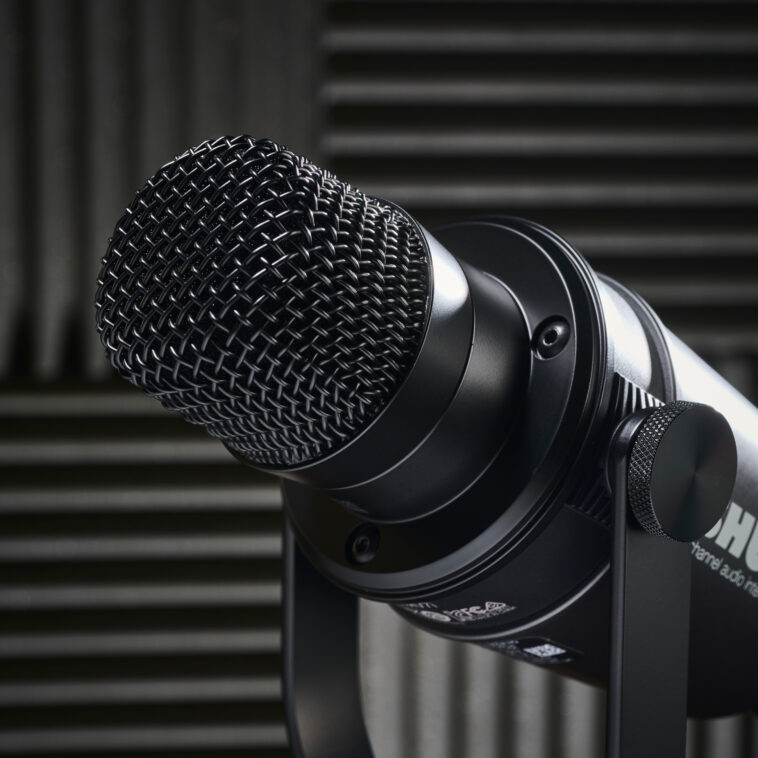
At a glance, the Shure MV7i looks like just another member of Shure’s broadcast-styled MV7 family. It has the same visual stylings, same design philosophy and even apes the same USB/XLR combo of its more established stablemate, the MV7+. The difference, however, is on the back. The XLR socket you see there is an input, not an output, and accepts either an XLR or a regular old ¼” instrument cable. You see where we’re going here?
Building an audio interface into a microphone isn’t necessarily new. IK Multimedia has been doing it for ages. Here, however, Shure has taken the raw ingredients of one of its best consumer mic ranges and made it more…useful. Which is great! Here, the MV7i’s mic capsule supplies one channel, the XLR combo provides a second, and the whole lot reaches your computer or tablet as two separate tracks via USB-C. All of which makes it a neat answer to a familiar problem – wanting to record a voice and one other thing, be that a guitar, or a synth, for example, without having to employ a dedicated hardware audio interface to do it.
There’s the usual bundle of proprietary apps and tools to help add sparkle and pizzazz to your sound, along with some onboard DSP to help with boring-but-important things like levels and clipping. All in all, it’s a pretty comprehensive self-contained mini studio. But is it any good?
Latest Videos FromMusicRadar
Performance
Having tested the other mics in the MV7 range, we knew roughly what to expect from a physical perspective. The MV7i is sturdy, well engineered and has a lovely premium feel to it. We opted for a desk-mounted swingarm as our method of connection – we felt this would be the safest way to start introducing instrument cables and the like without it toppling over, which it probably would have done if we’d connected it to a regular weighted desktop mic stand. You might be braver than us and hook it up to one of those generic foldaway mic stands – we’ll leave that up to your judgement. It does have some heft though, the MV7i, so keep that in mind…
Connected directly to the MacBook Pro over USB-C, and routed into Ableton Live, we were very quickly able to capture a decent voice recording with the onboard processing switched off. Switching it on, which you do via the MOTIV Mix app (either standalone or within your DAW), added a pleasing sheen to the top end, which could save a little work when you’re recording something that needs to be edited and published quickly. We’re glad Shure lets you leave it off, though. Plenty of people already know how they want to process their voice, and we’d rather have the choice of doing that ourselves in the DAW than feel obliged to use the mic’s settings.
The built-in interface was the more interesting part of the test. We plugged in an electric guitar, pointed its signal into the Tonex plugin on the laptop, and with some basic routing in Live’s mix panel were able to bring the guitar and the microphone into the timeline as separate tracks. If you’ve done basic DAW signal routing before, it’ll take you maybe two seconds. If you haven’t, it might be nearer five seconds. It’s extremely simple, and will make two-track recording a possibility for people who have maybe been intimidated by it before.

Setting levels in the software was simple enough, and as an added bonus, it meant we could record guitar and voice tracks without having to get our larger interface and studio setup involved. That might sound like a small convenience, but it is exactly the sort of thing that helps when you have an idea for a vocal and guitar part and want to capture it before you start faffing with a larger, more complex rig.
The same arrangement should suit a podcaster, for example, who wants to add a second XLR mic (a mic into a mic!). It is still, however, a two-source setup, so anyone regularly recording several instruments or people at once will outgrow it quite quickly. For the sessions it can handle, having the option to record the two sources separately is particularly useful, as you can edit or process one without committing change to the other. With a buffered signal splitter, you could, for example, record a guitar amp with the mic and route a dry version of the guitar signal directly into the mic for separate re-amping.
Of course, the value of the MV7i depends on whether you’ll use the second input. If you only need to record your voice, there are less expensive (albeit less slick) ways to do it. In our simple voice and guitar test, though, the MV7i made a good case for itself by letting us capture two very usable tracks with very little setup in between.

Verdict
The MV7i makes the most sense for someone whose recording setup changes with the job. A travelling musician could, for example, take one mic, add a guitar, and capture both on a laptop. A two-person podcast could use the MV7i for the host, and plug a second XLR mic into its rear socket. An instrument or other source with a suitable analogue output could take that second slot instead.
At £359, this is a harder sell if you already own an interface you enjoy using, or only ever record one voice. We’d point you towards any number of simpler mics if that were the case, not least Shure’s own MV7+. But if a second input means you can actually start recording sooner and carry less gear, the MV7i’s unusual design earns its keep. Its limitation is equally clear, though. With a single second socket, it might not be long before you’re craving more inputs and going back to your audio interface. But go into it knowing these limits, and focusing on what it is and what it can do, and the MV7i is a compelling proposition.
Hands-on demos
Shure Creators

Alternatives
Specifications
|
Price |
£359 |
|
Type |
Dynamic vocal microphone with built-in audio interface |
|
Mic pickup pattern |
Cardioid |
|
Additional input |
Combo XLR/¼-inch socket for one microphone or instrument |
|
Computer connection |
USB-C |
|
Recording resolution |
Up to 24-bit/48 kHz |
|
Input gain |
Up to 60 dB; 48 V phantom power available for a connected XLR condenser microphone |
|
Monitoring |
3.5 mm headphone output |
|
Recording options |
Mixed output or two separate mono tracks |
|
Software |
MOTIV Mix on desktop; MOTIV mobile apps on supported devices |
|
Mobile compatibility |
Select USB-C phones and tablets; not Lightning-equipped iOS devices |
|
Contact |